Two-edged Sword

Hebrews 4:12

ΖῶνlivingG2198 γὰρforG1063 ὁtheG3588 λόγοςwordG3056 τοῦofG3588 ΘεοῦGodG2316 καὶandG2532 ἐνεργήςpowerfulG1756 καὶandG2532 τομώτεροςsharperG5114 ὑπὲρthanG5228 πᾶσανanyG3956 μάχαιρανswordG3162 δίστομονtwo-edgedG1366

Two-edged Sword

Bible study for the Mac. Every commentary, lexicon and note you own, open at the verse you're reading.

Download for Mac Read the guide

Free software. Apple silicon, macOS 13 or later.

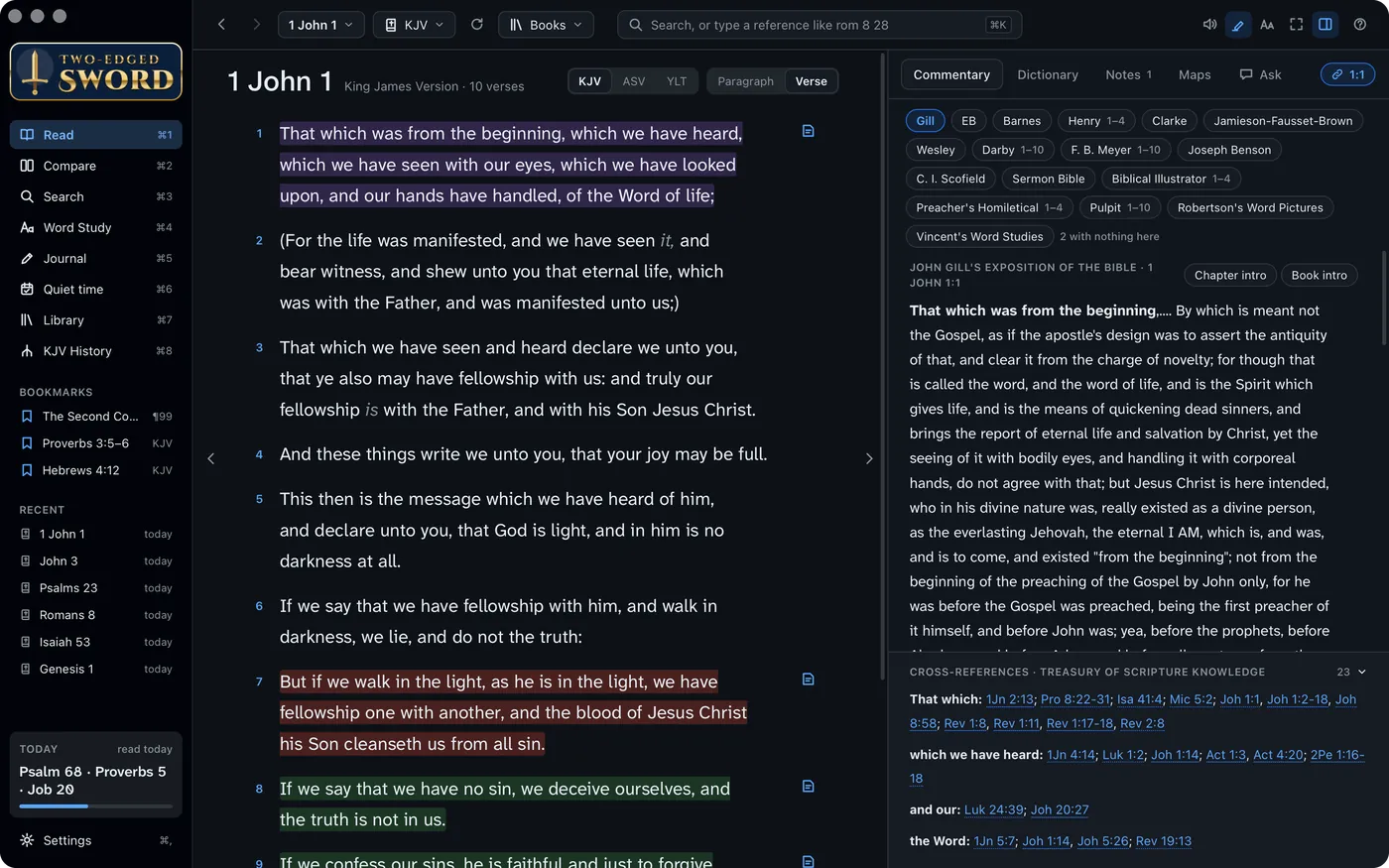
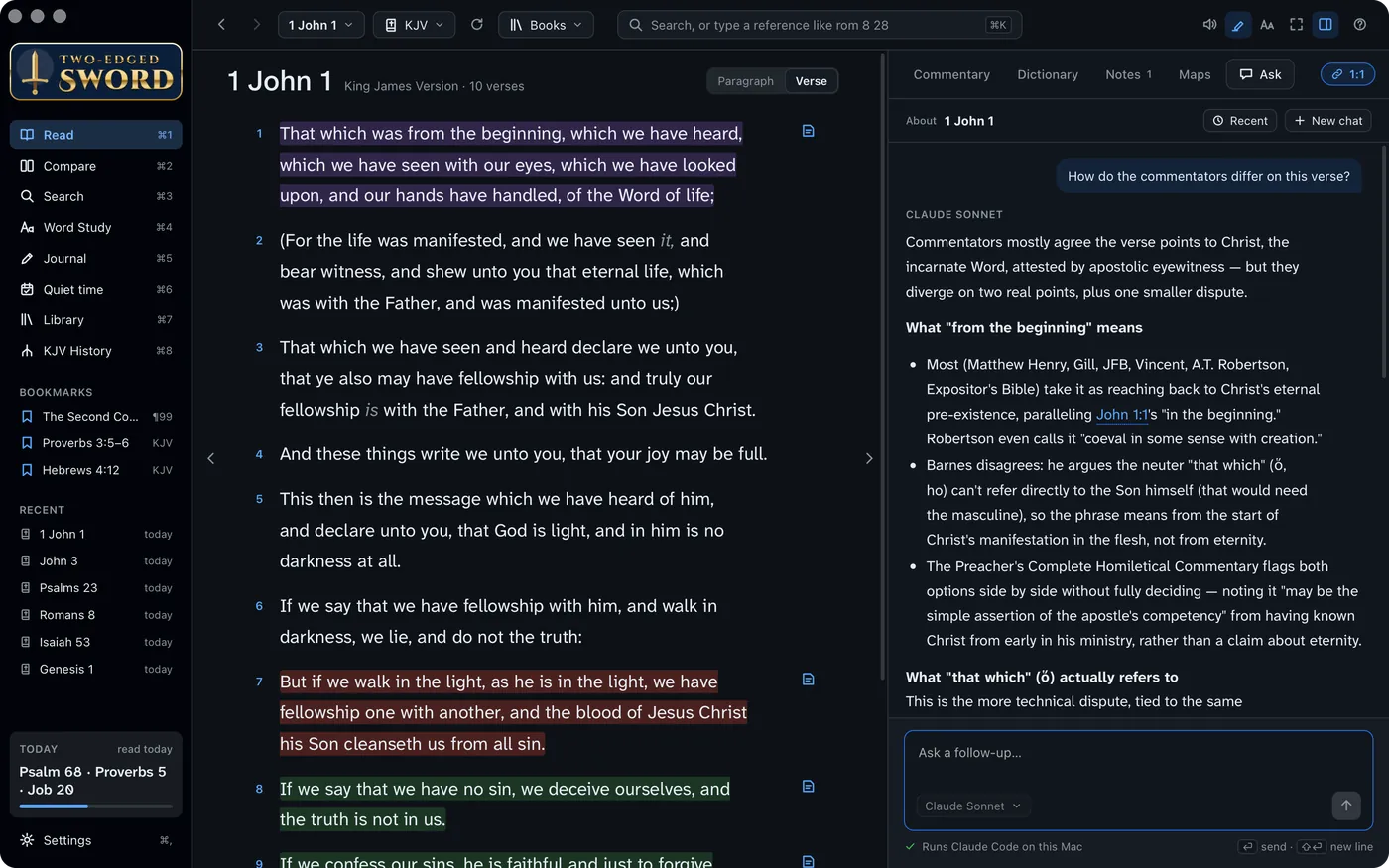
Reading 1 John 1 beside the commentaries on verse 1

Read a chapter beside everything written about it.

The study pane follows the verse you select: every commentary you own, the cross‑references, your dictionaries, and your own notes on it. Click any word for its Greek or Hebrew.

Reading 1 John 1 with the study pane open on the commentaries
  1. The chapter, and the study pane beside it
  2. Every commentary on the verse, in the order you choose
  3. Highlights in eight colours, each a theme you name
  4. Cross‑references from the Treasury of Scripture Knowledge

Where a translation reads differently, and why.

A ≠ beside a verse marks where the translation differs in meaning from the King James: an omitted phrase, a changed name of God. Click it for both readings, what changed, and which manuscripts each follows.

Lists for the NIV, ESV, ASV, CEV, GNB, MKJV and ISV come with the app, each reviewed across the whole Bible.
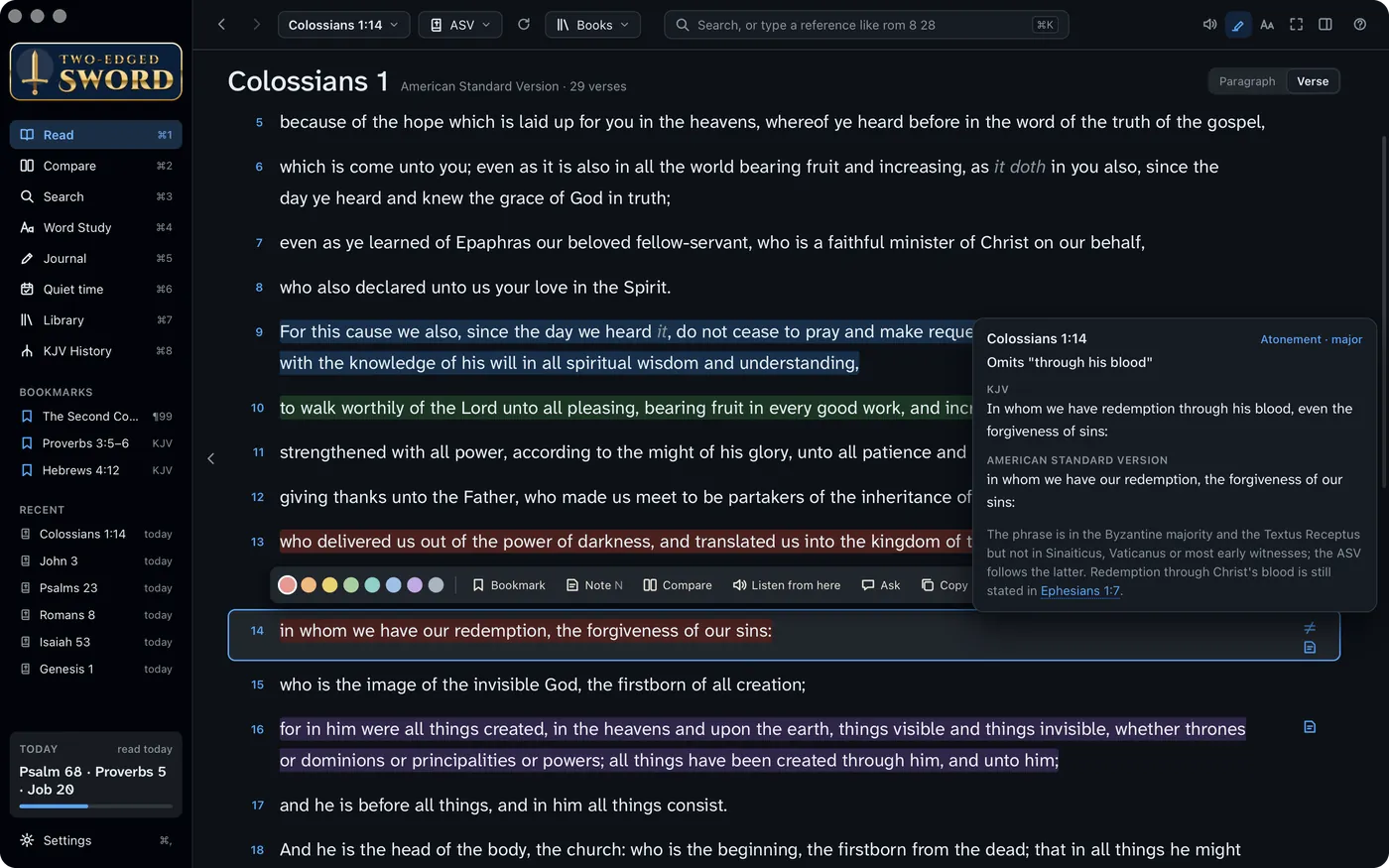
Colossians 1:14 in the ASV, marked as omitting “through his blood”, with the reason
  1. Colossians 1 in the American Standard Version
  2. Verse 14 omits “through his blood”. Both readings, and the manuscripts behind each.

Greek, Hebrew and Syriac, word by word.

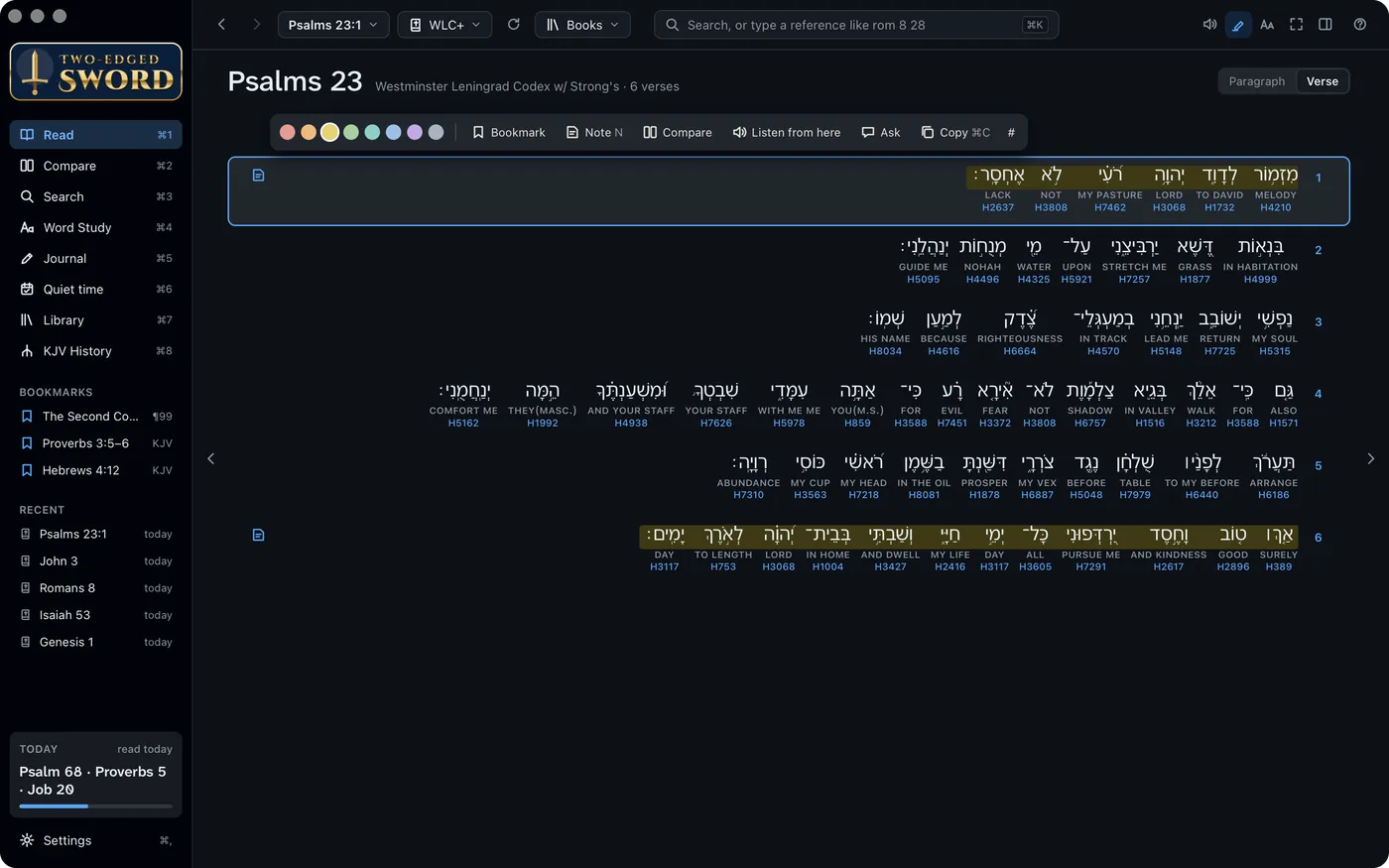
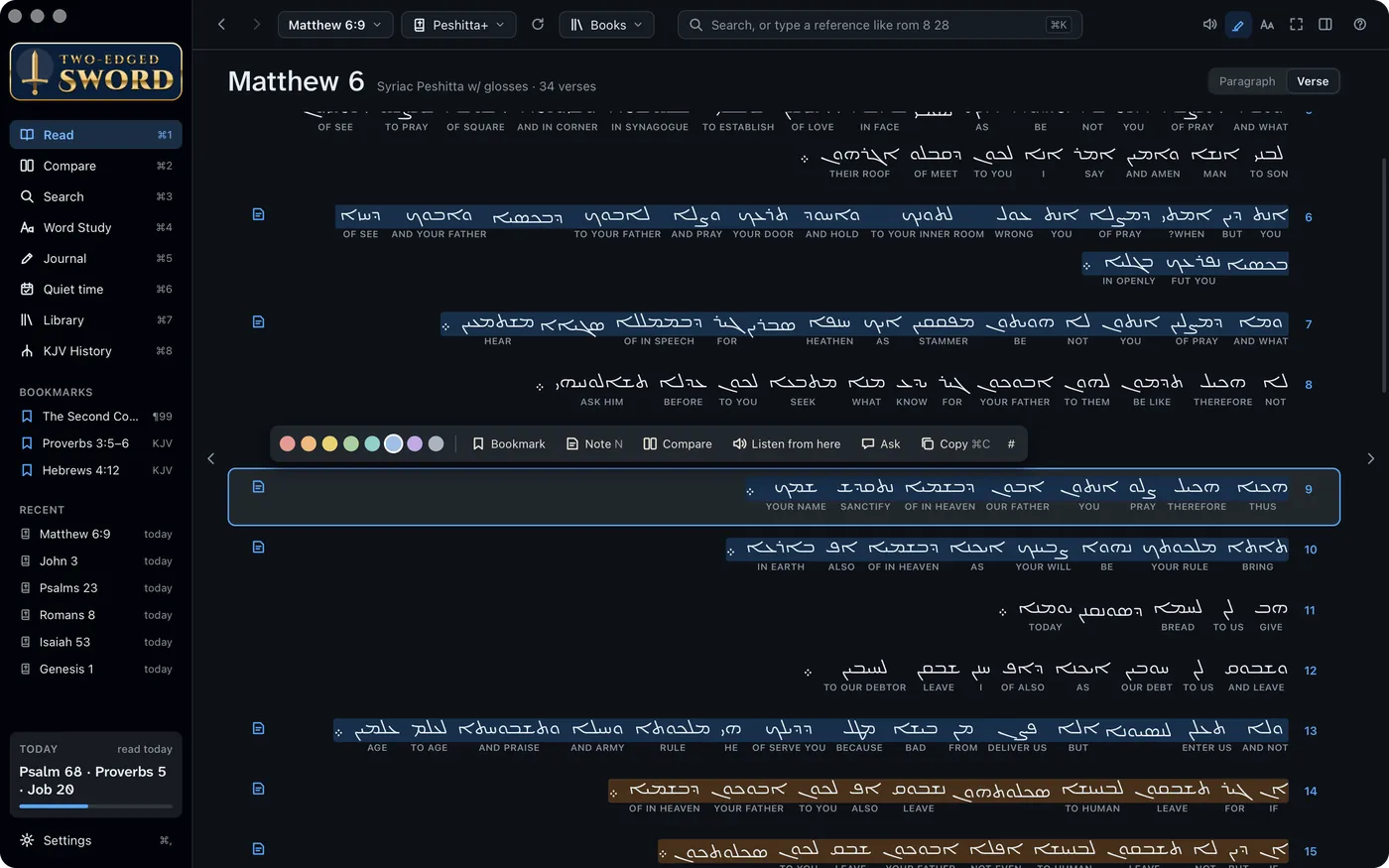
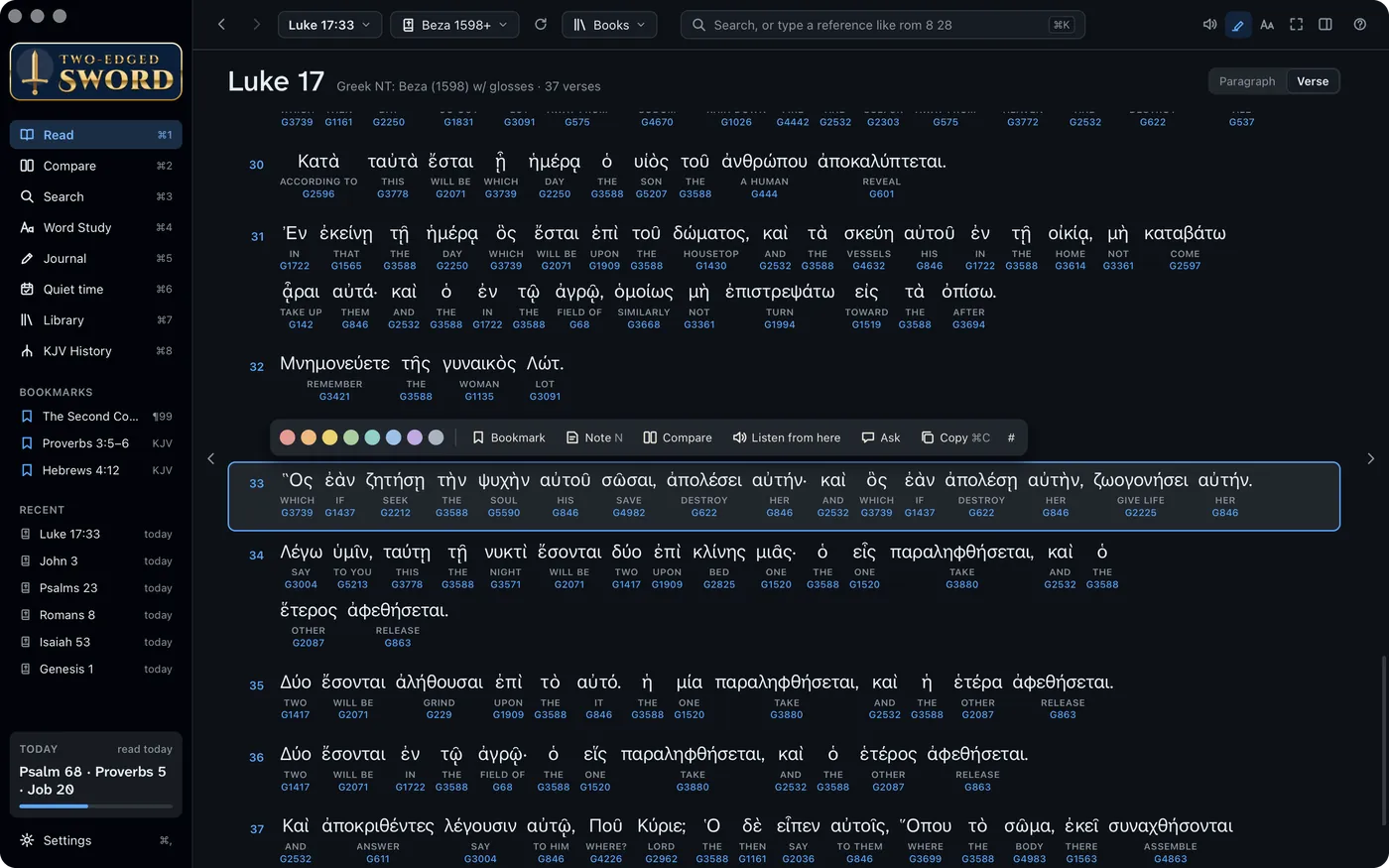
Each original word sits over its English and its Strong's number. Hover for the grammar, click to look it up. Hebrew and Syriac read right to left, as they should.

  1. Greek · Beza's New Testament, 1598
  2. Hebrew · the Leningrad Codex
  3. Syriac · the Peshitta
Luke 17 in Beza's Greek New Testament of 1598, each word over its English and Strong's number Psalm 23 in Hebrew, read right to left, each word over its English Matthew 6 in Syriac, the Lord's Prayer, read right to left

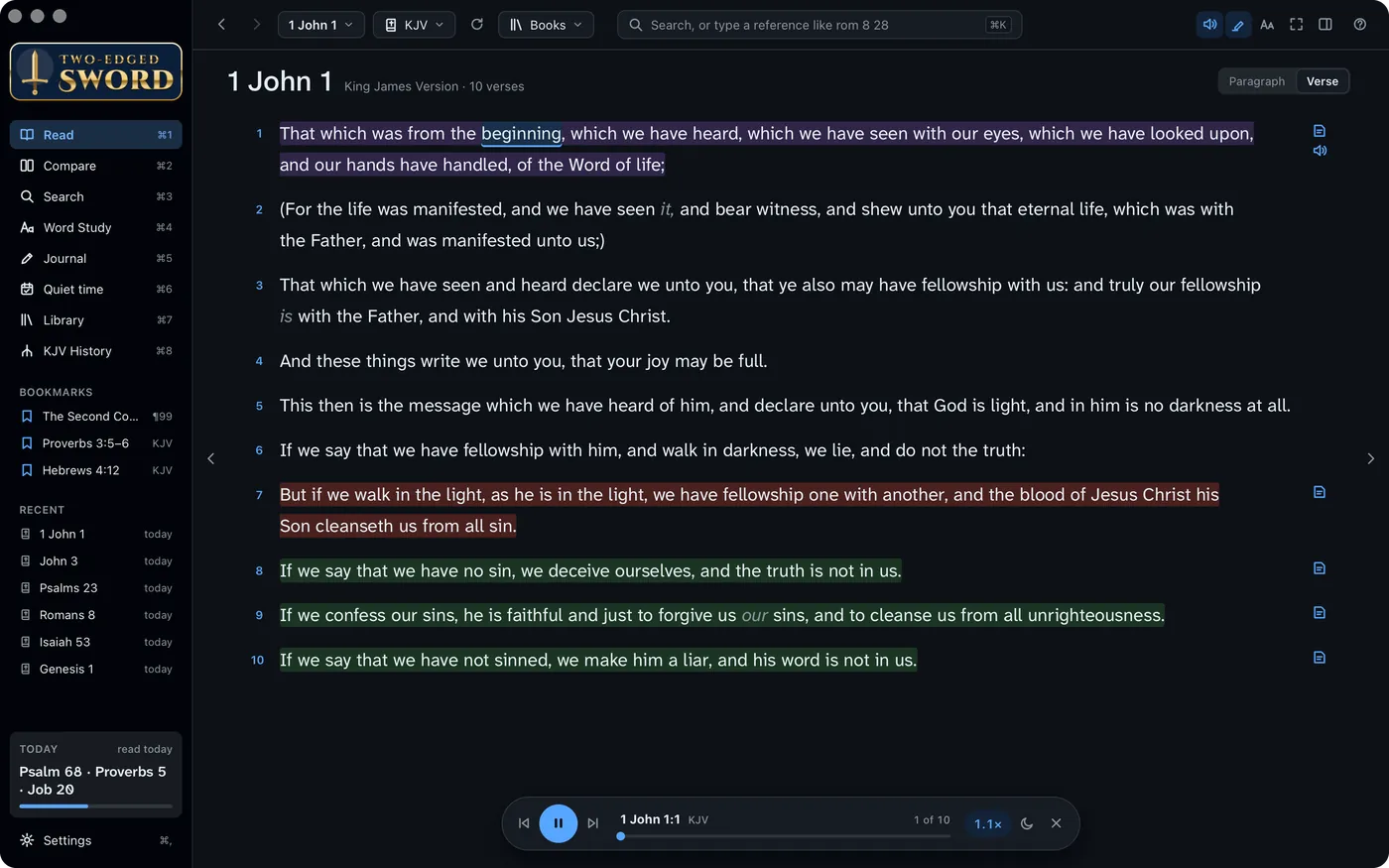
Hear it read, word by word.

Anything in the app can be read aloud, each word lit as it's spoken: a chapter, a book, a journal entry. It uses the voices on your Mac, and Hebrew, Greek and Latin Bibles are read in their own tongue.

Listening to 1 John 1, the word being spoken highlighted

Ask, and it answers from your own shelves.

Ask a question about the passage and the assistant reads your commentaries, lexicons and dictionaries to answer it, naming its source for each point, and saying when your library has nothing. It runs an AI tool you already have on this Mac.

Ask comparing the commentators on 1 John 1:1
  1. “How do the commentators differ on this verse?”
  2. Henry, Gill, Robertson and Barnes, read and compared
  3. Claude Code, Codex, Antigravity or GitHub Copilot: whichever you have
  • Read only. The tool is given only read and search, and can't change your files.
  • Knows the guide. Ask how to do something in the app, and it tells you.
  • Respects licences. One switch keeps copyrighted text out of every question.
  • Into your journal. Any answer can be added to an entry in one click.

Compare. Search. Study a word.

Translations side by side with the differences marked. One search across a Bible, every commentary and dictionary, and your journal. And everything about a single Greek or Hebrew word.

  1. Compare
  2. Search
  3. Word Study
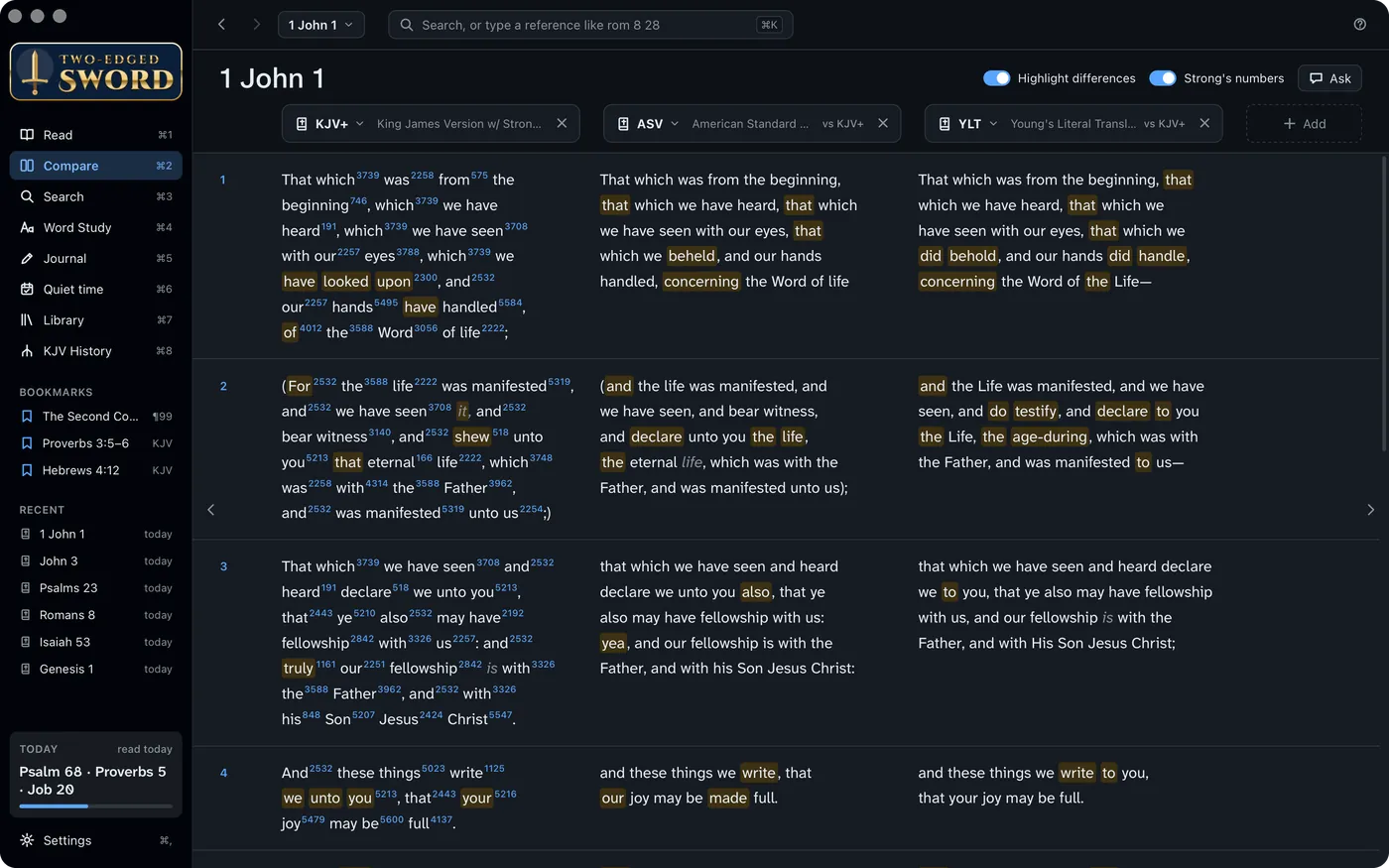
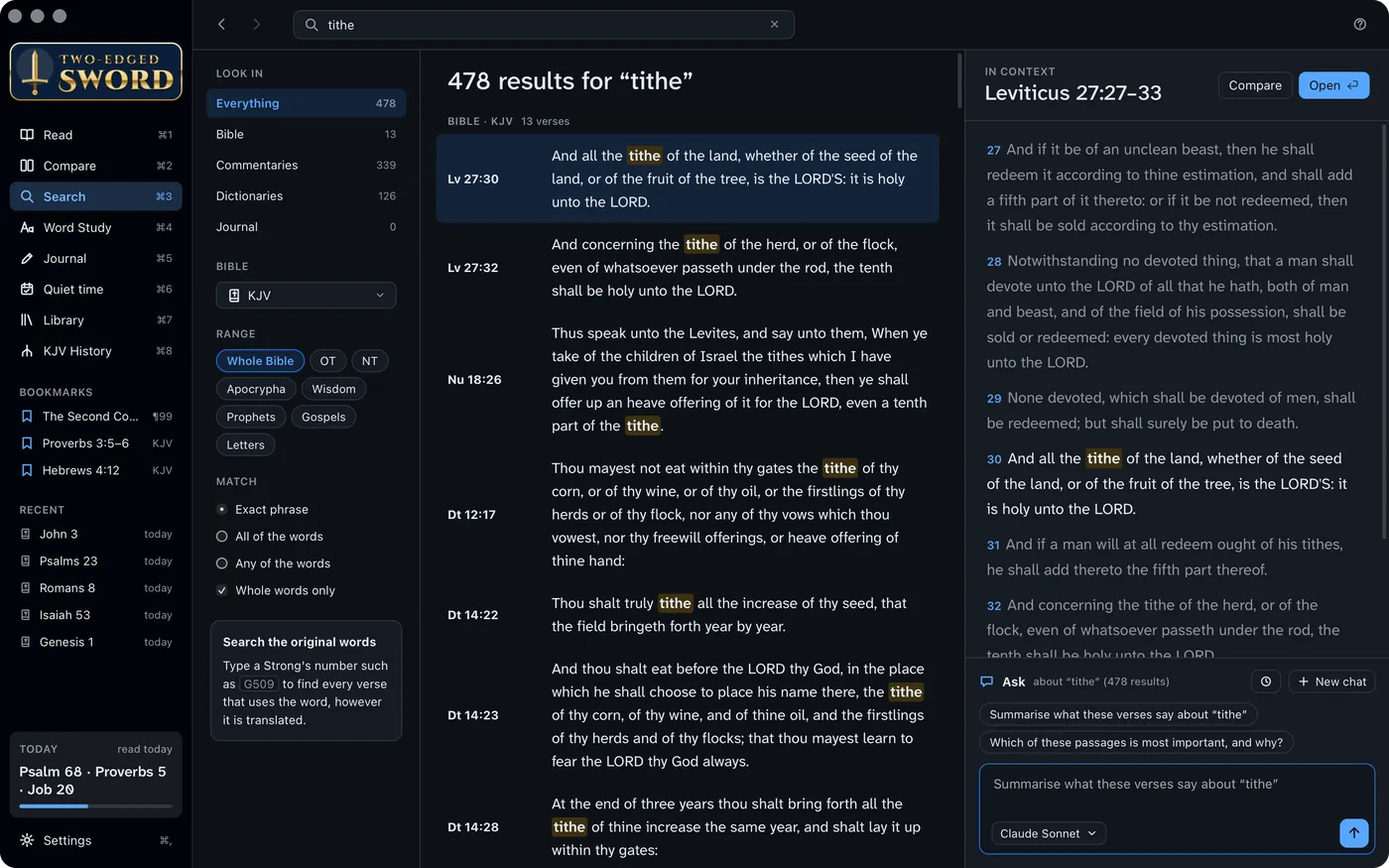
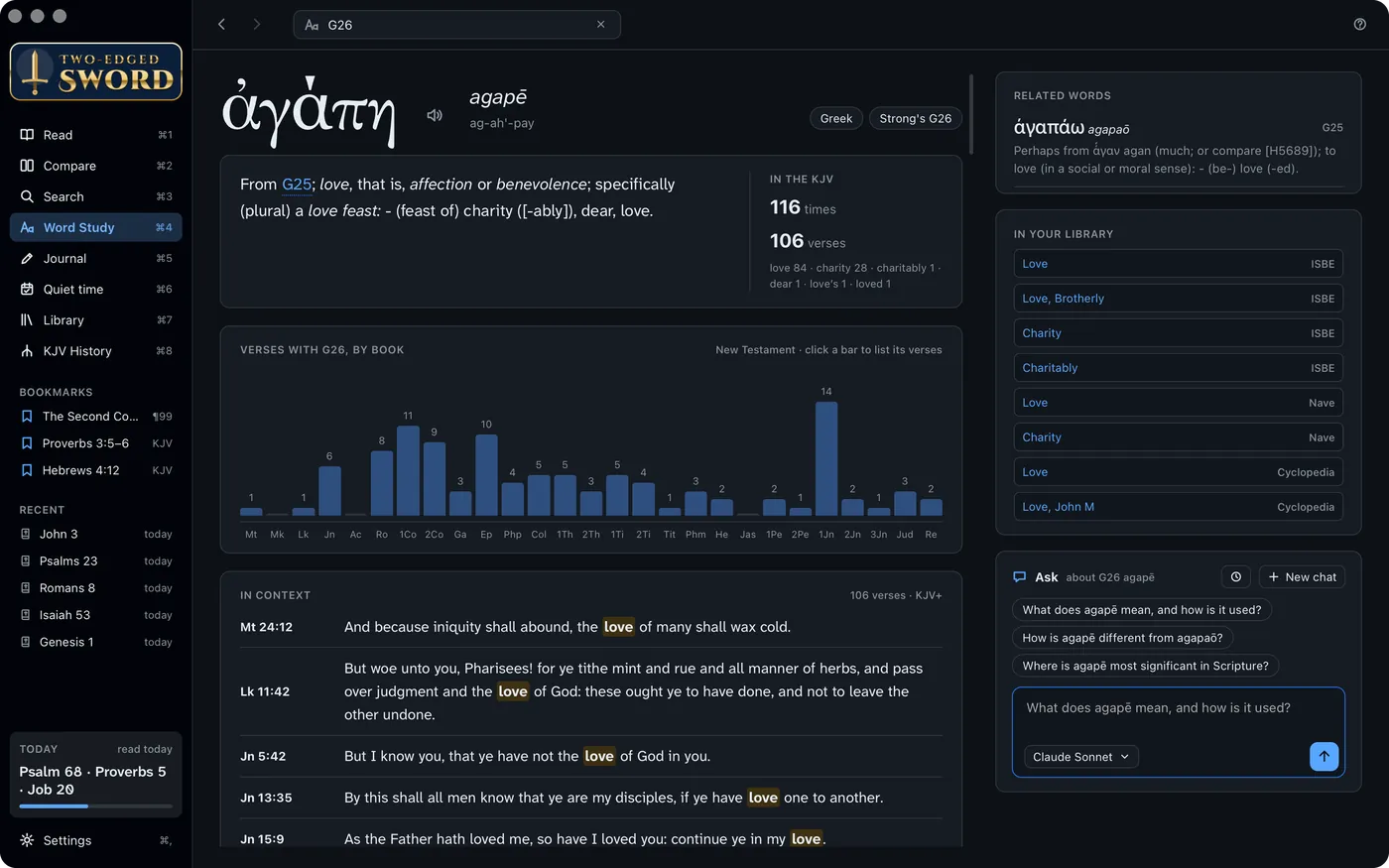
KJV+, ASV and YLT compared, differences highlighted Searching the KJV for “tithe”, with the verse in context Word Study for G26, agapē: its entry, where it's used, and the articles on it

Any number of translations, verse by verse. Highlight differences marks what departs from the first column.

Notes that know their verses.

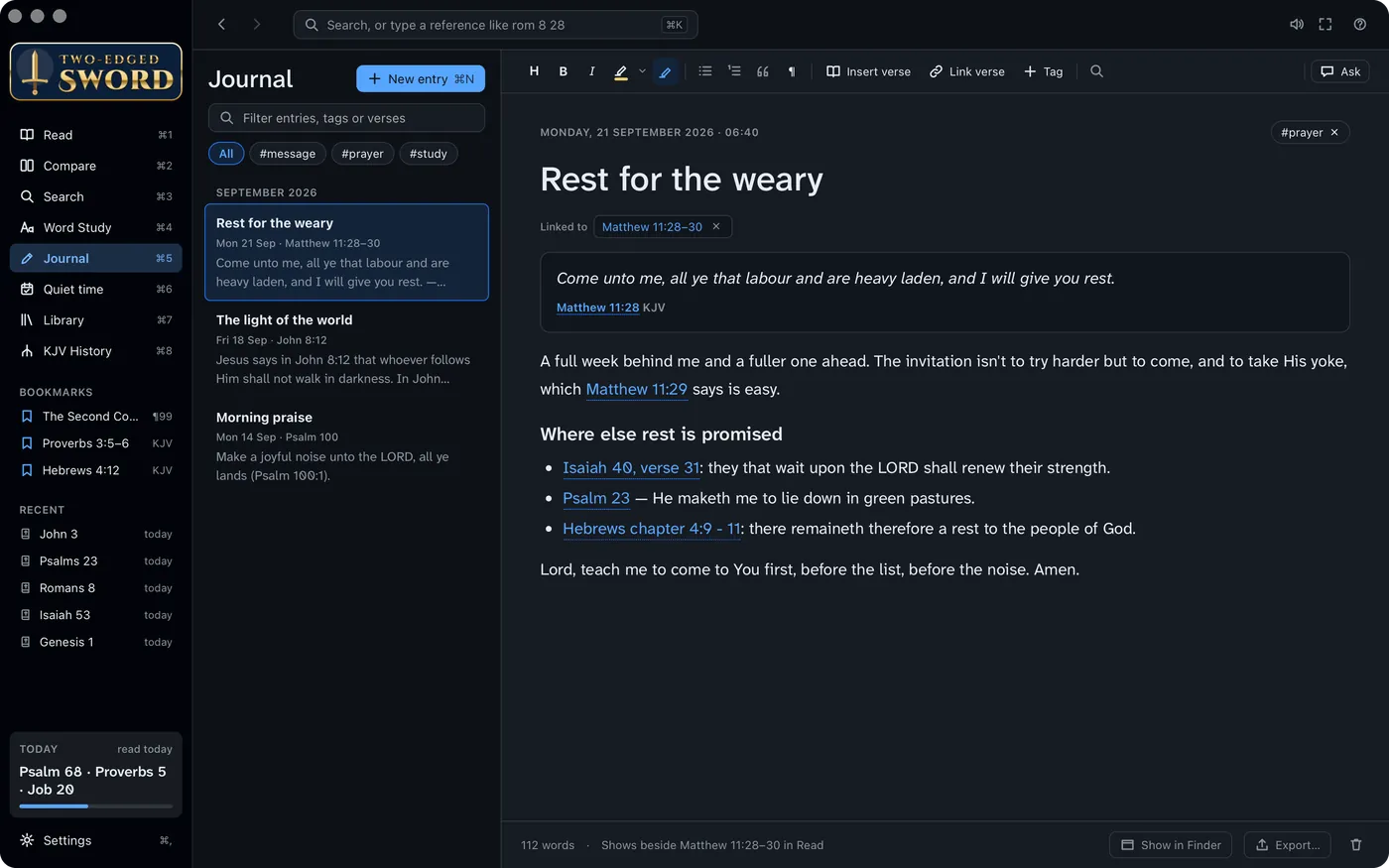
Each entry is linked to the verses it's about and shows beside them as you read. References you type become links, even misspelled ones. Highlight, tag, and ask about one entry or the whole journal.

Entries are plain Markdown files in your Documents folder. Point them at your Obsidian vault and a change made there shows in the app within seconds.

A journal entry with its verse references as links

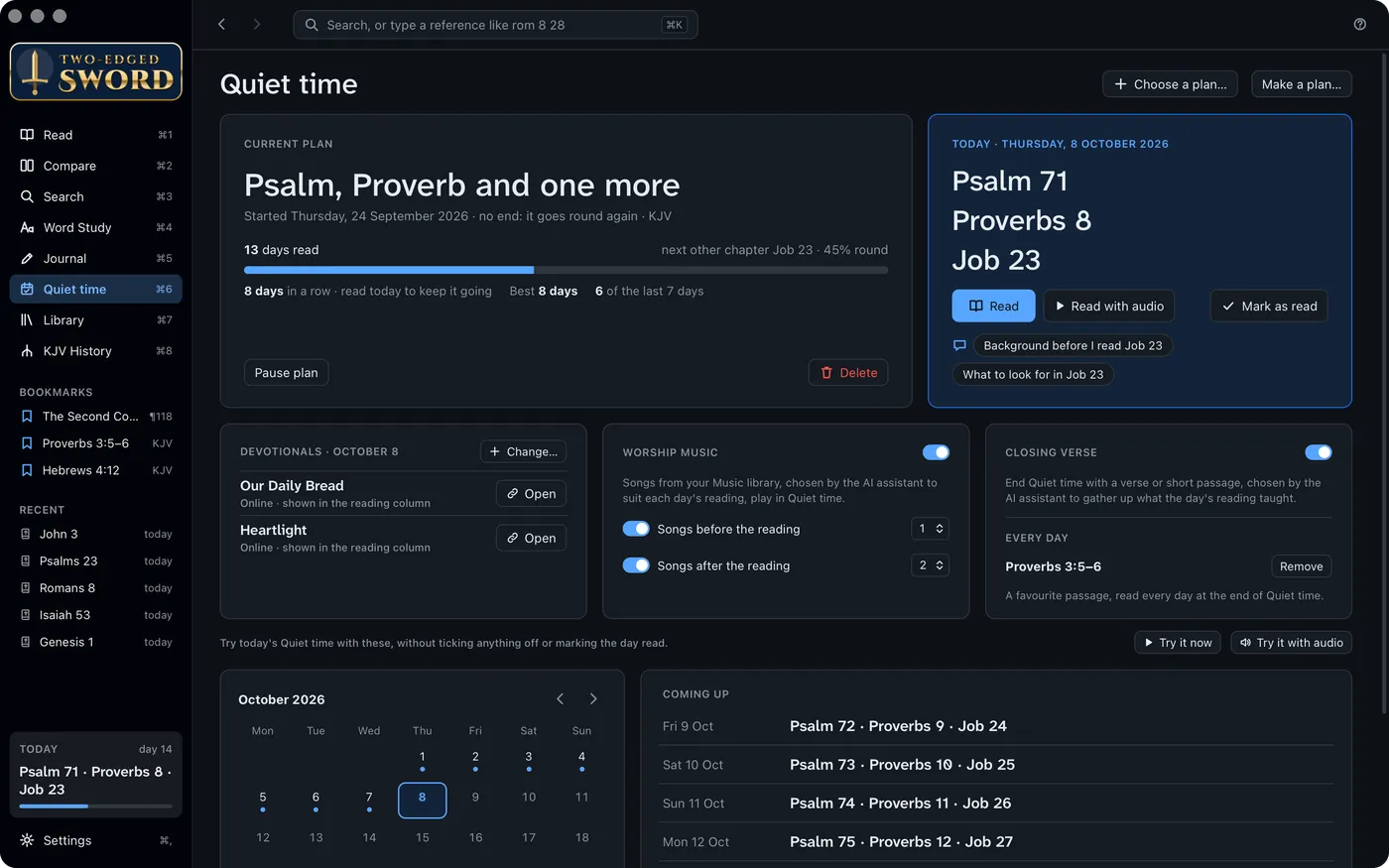
A plan for the morning, and music to go with it.

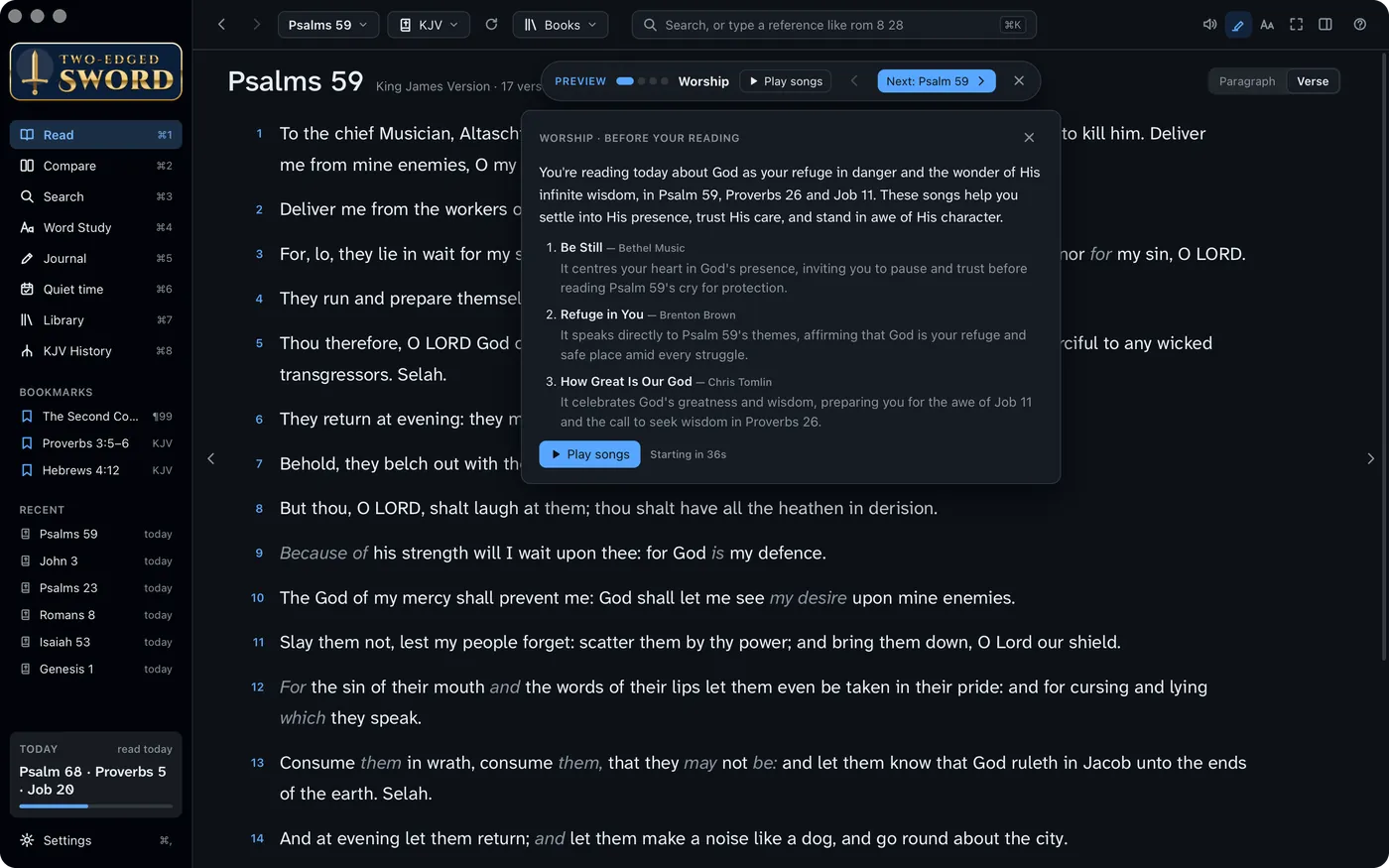
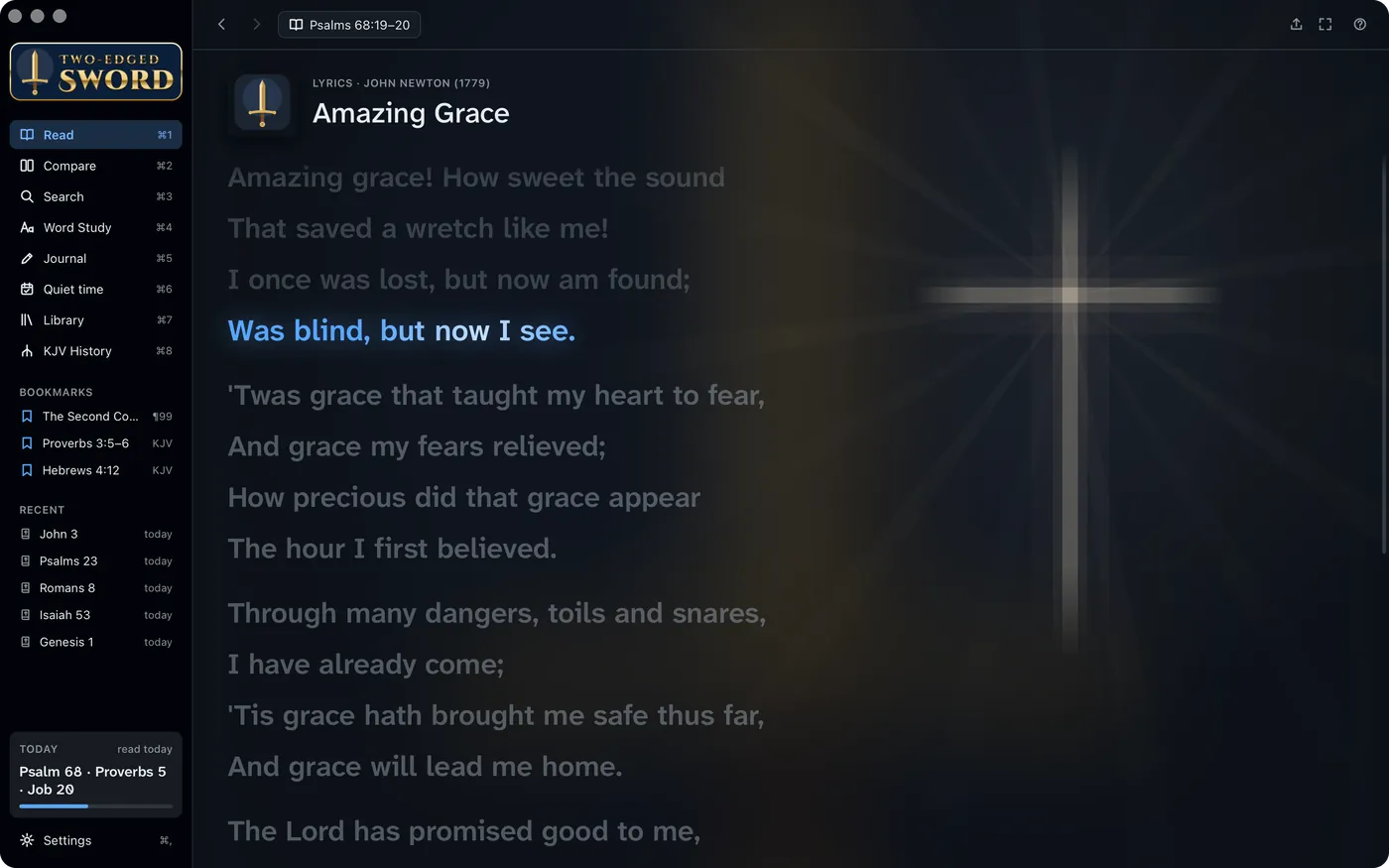
Choose a reading plan: the Bible in a year, the New Testament in 90 days, a Psalm and a Proverb a day, or your own. Quiet time then walks you through it, with worship songs from your Music library chosen for the day's reading and a closing verse that gathers it up.

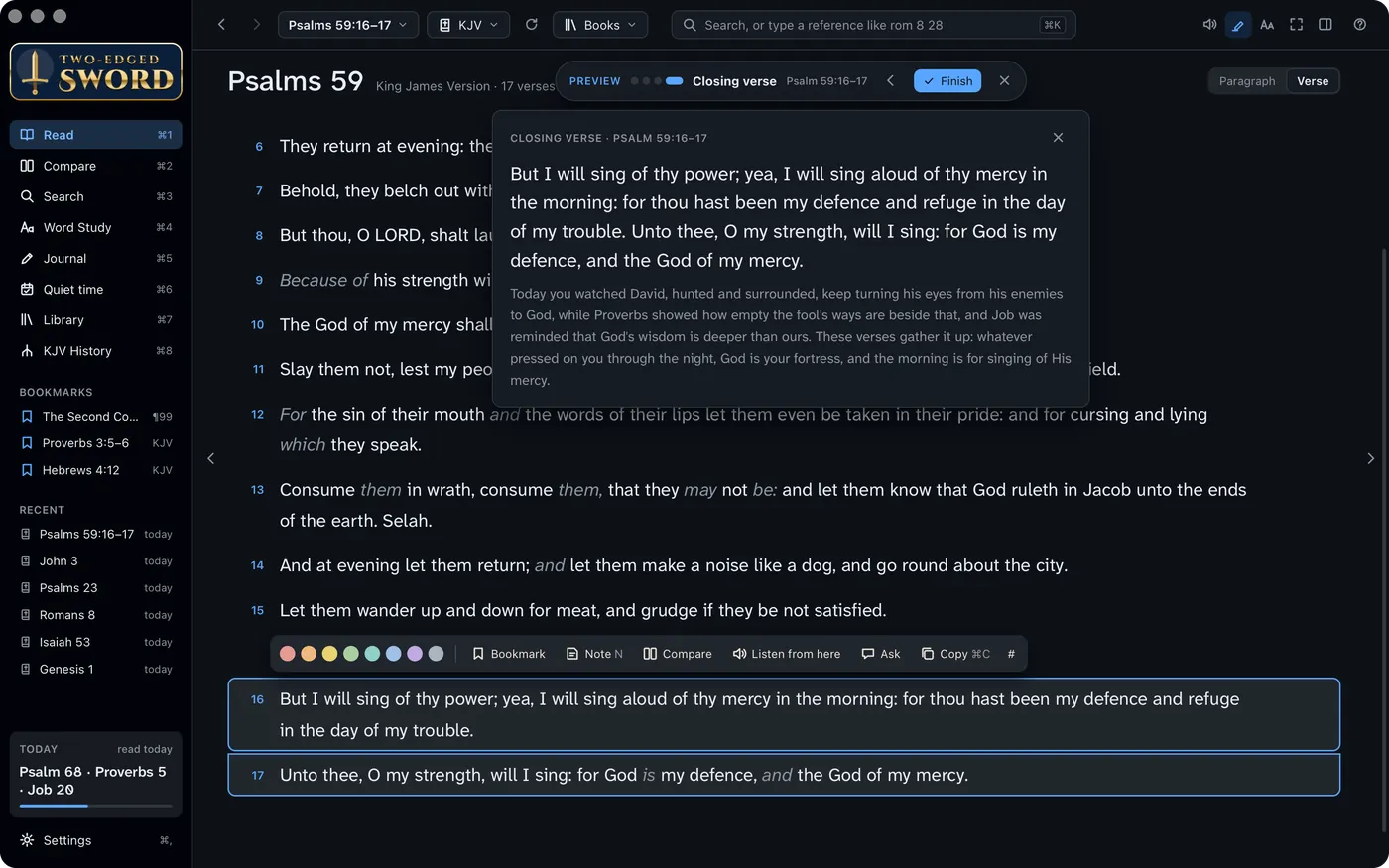
Quiet time with today's readings Worship before the reading: why each song suits the day Amazing Grace: the line being sung lit, a cross faintly behind the words The closing verse, Psalm 59:16–17, with how it sums up the day
  1. Today's readings, your streak, and the days ahead
  2. Songs chosen to reinforce today’s reading, and why
  3. The words as they're sung, with a picture behind them in the song's own colours
  4. A closing verse, and a few lines on how it sums up the day
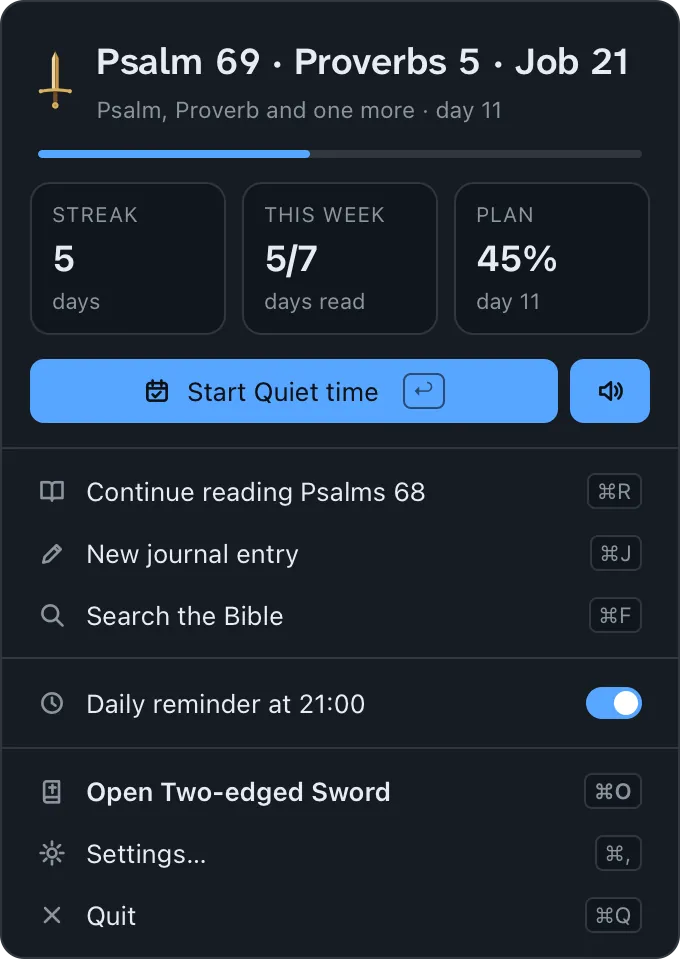
The menu-bar window: today's reading, streak, and Start Quiet time

In the menu bar all day.

Close the window and the app waits in the menu bar with today's reading, your streak and the week. Start Quiet time from there, carry on where you left off, or begin a journal entry.

A daily reminder arrives at the time you choose, if you haven't read yet.

Songs for any chapter, too: the ♫ button has the assistant pick worship songs to suit what you're reading, in the Bible or in a book.

Where the King James came from.

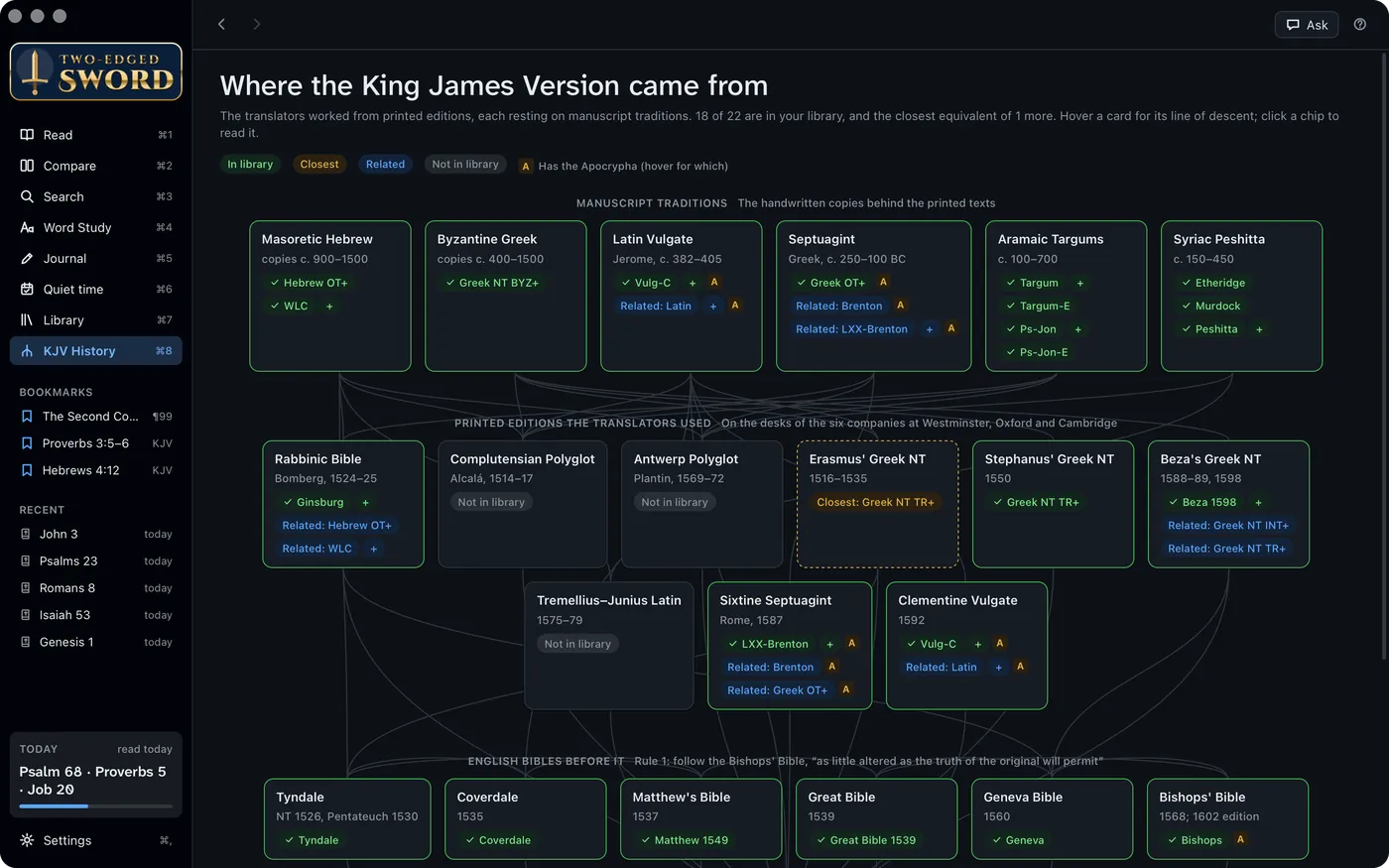
The KJV's family tree: the manuscript traditions, the printed editions on the translators' desks at Westminster, Oxford and Cambridge, and the English Bibles before it. Each card says what you have in your library, and opens it.

The KJV's family tree: manuscripts, printed editions and earlier English Bibles, and which are in the library
  1. Three generations, from the Masoretic Hebrew to the Bishops' Bible
  2. The manuscript traditions behind the printed texts
  3. Erasmus, Stephanus, Beza: green means you have the text itself
  4. Tyndale to the Bishops' Bible, which the translators were told to follow

Comes with a library. Reads yours too.

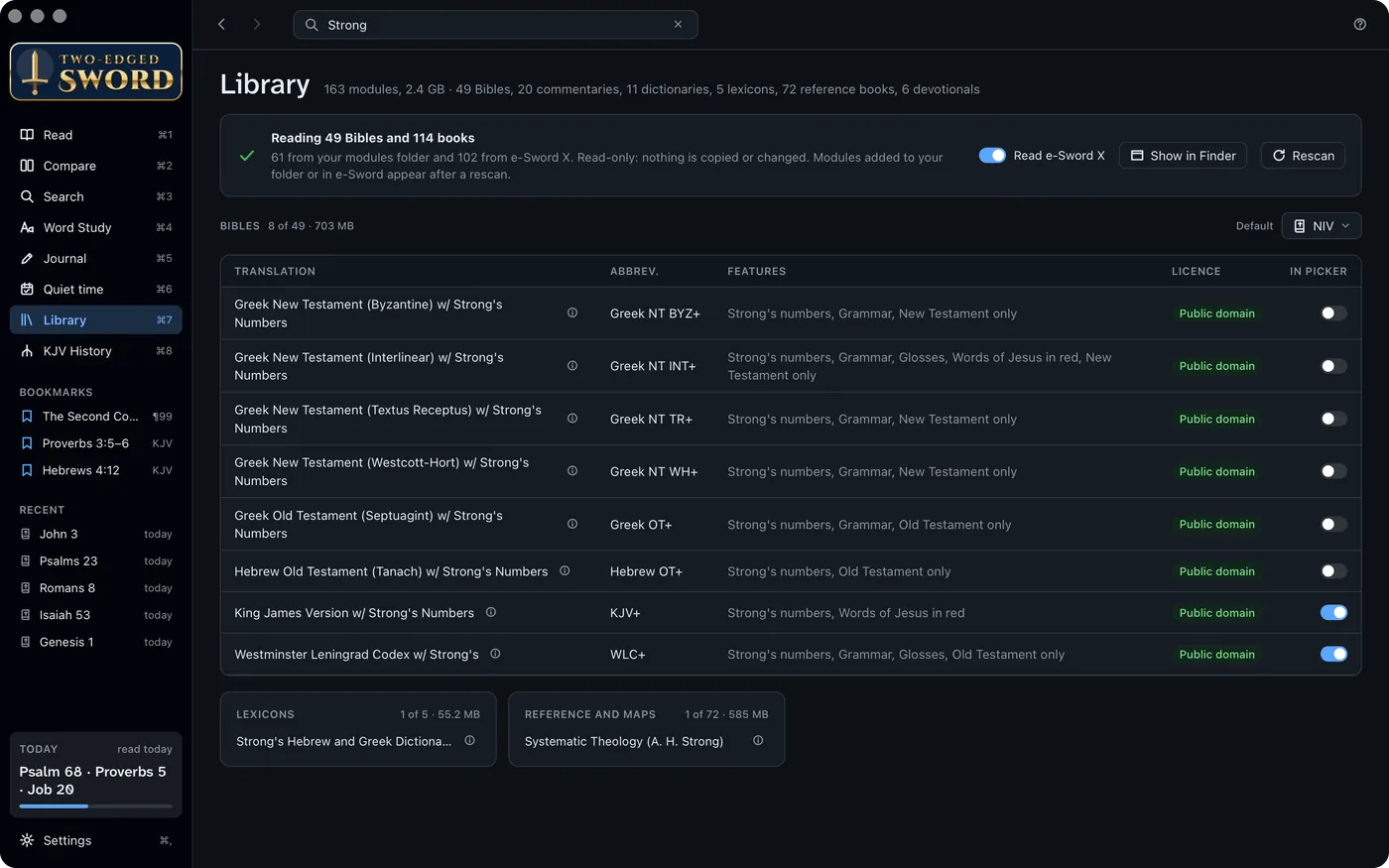
Out of the box: the King James with Strong's numbers, Strong's Hebrew and Greek dictionaries, the Treasury of Scripture Knowledge, Matthew Henry's commentary and Easton's dictionary. All public domain.

It reads e‑Sword X's Mac modules you own and its library if you have it. Books and devotionals get the same tools as Scripture.

Build more from free sources with the scripts in the source code: the Targums and the Talmud, the Clementine Vulgate, the Peshitta, Beza's Greek New Testament, Brenton's Septuagint, Tyndale and the Geneva Bible.

The Library searched for Strong: the Bibles with Strong's numbers, each with its features and licence

Yours stays yours.

  • Free software

    Under the GNU General Public License. Use it, share it, change it, and read how it works.

  • Your library, in place

    Bibles and books are read where they are. Nothing is copied, re‑saved or sent anywhere.

  • Your notes, in plain text

    Journal entries are Markdown files you can open in any editor. They'll outlive any app.

  • Your account, your Mac

    Ask signs in as you, through your own AI tool, and the chats stay on this Mac.

Two-edged Sword

For a Mac with Apple silicon, running macOS 13 or later.

Download for Mac View on GitHub

  1. Open the disk image and drag Two-edged Sword onto Applications.
  2. Open it once. macOS says it can't check the app, because it isn't notarised by Apple. Click Done.
  3. In System Settings › Privacy & Security, click Open Anyway. It opens normally after that.